Free Chrome Extension · No Account Needed

Your Brain Goes Blank.
Your Screenshots Shouldn't.

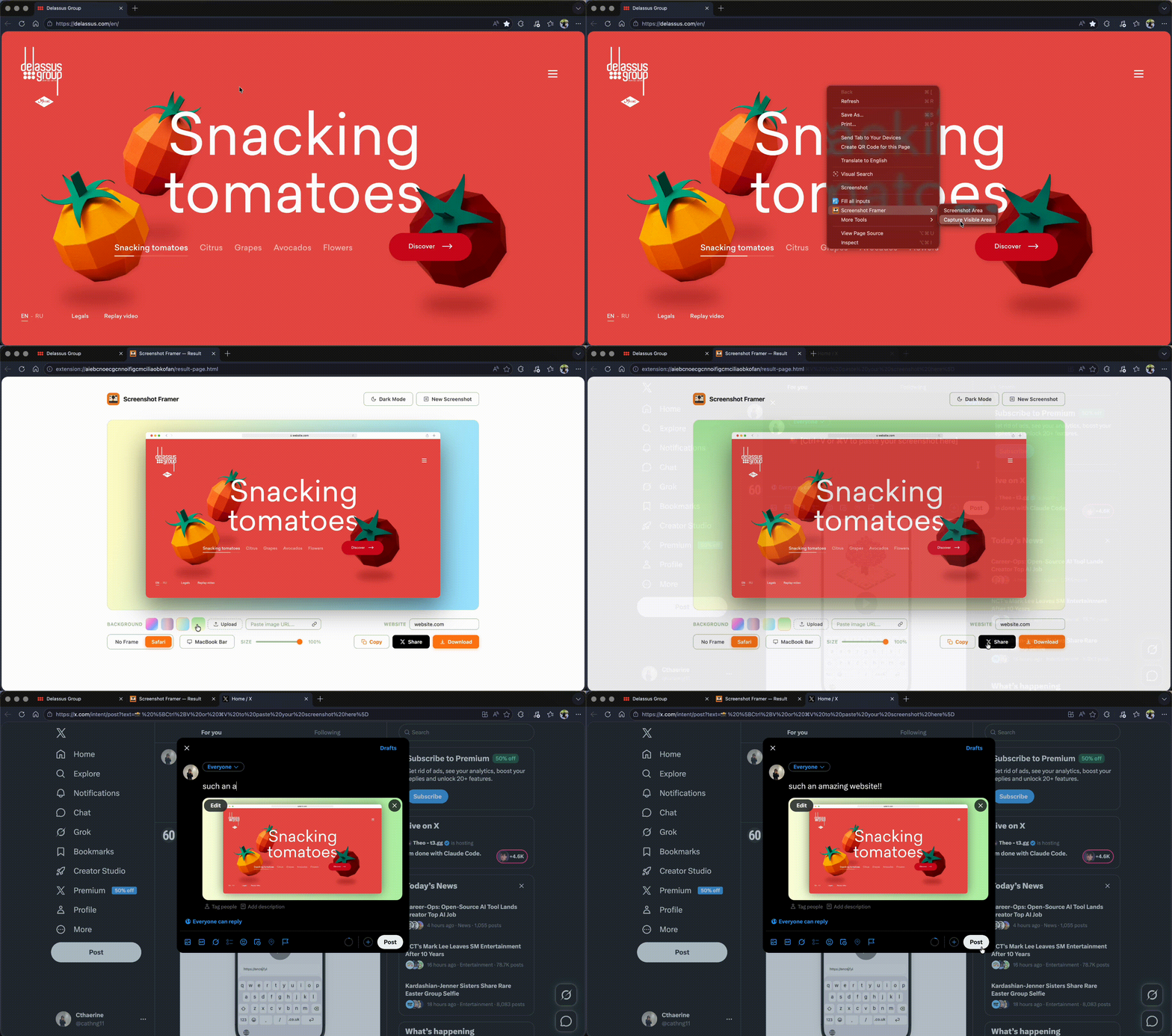
Professional screenshots in 30 seconds. Right-click any website, drag to select, get a beautiful frame instantly.

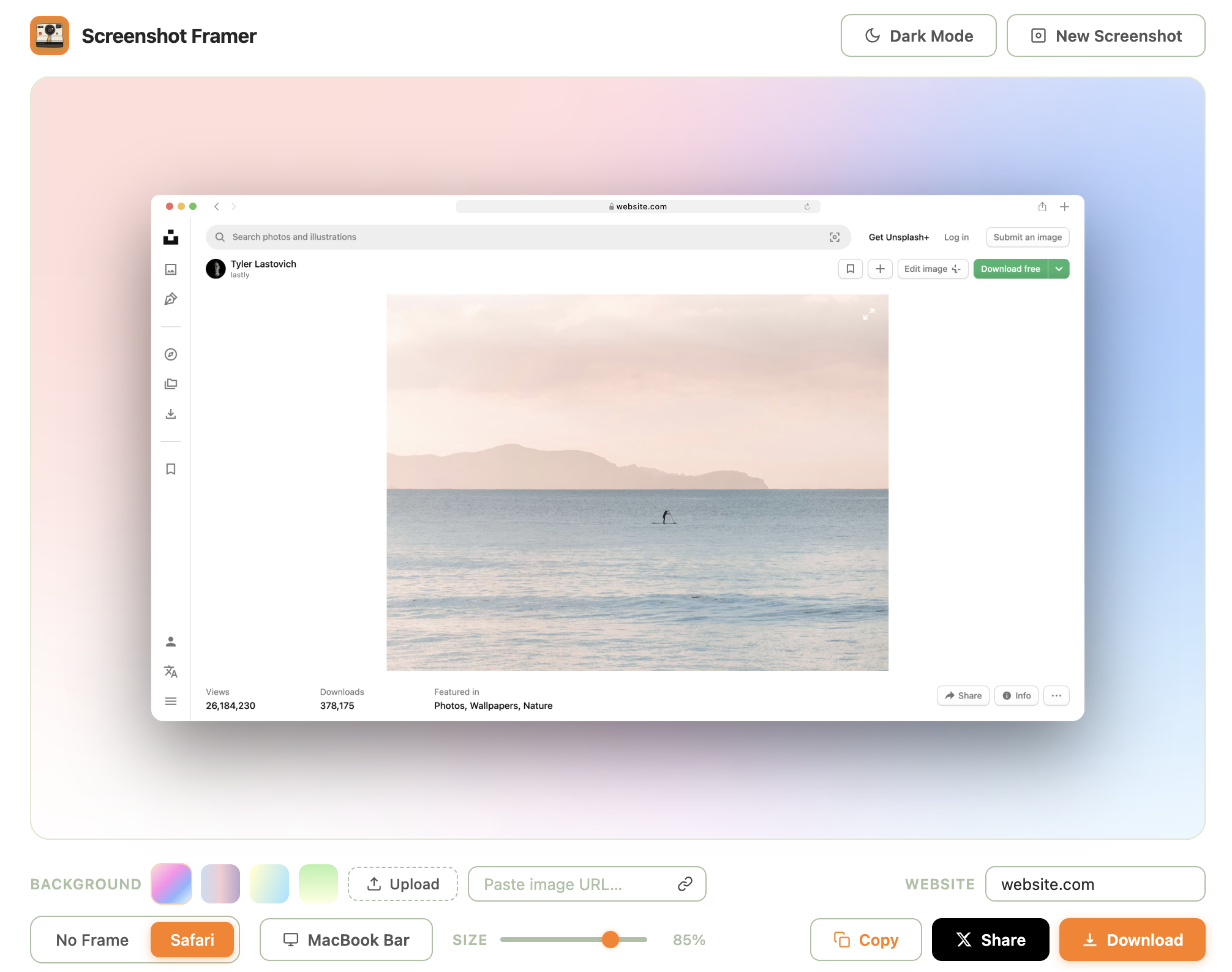
Screenshot Framer result page showing a framed beach photo with a soft gradient background.
Animated demo: right-clicking a webpage, dragging to select, and getting a beautifully framed screenshot.

↑ See it live · 30 seconds, end to end

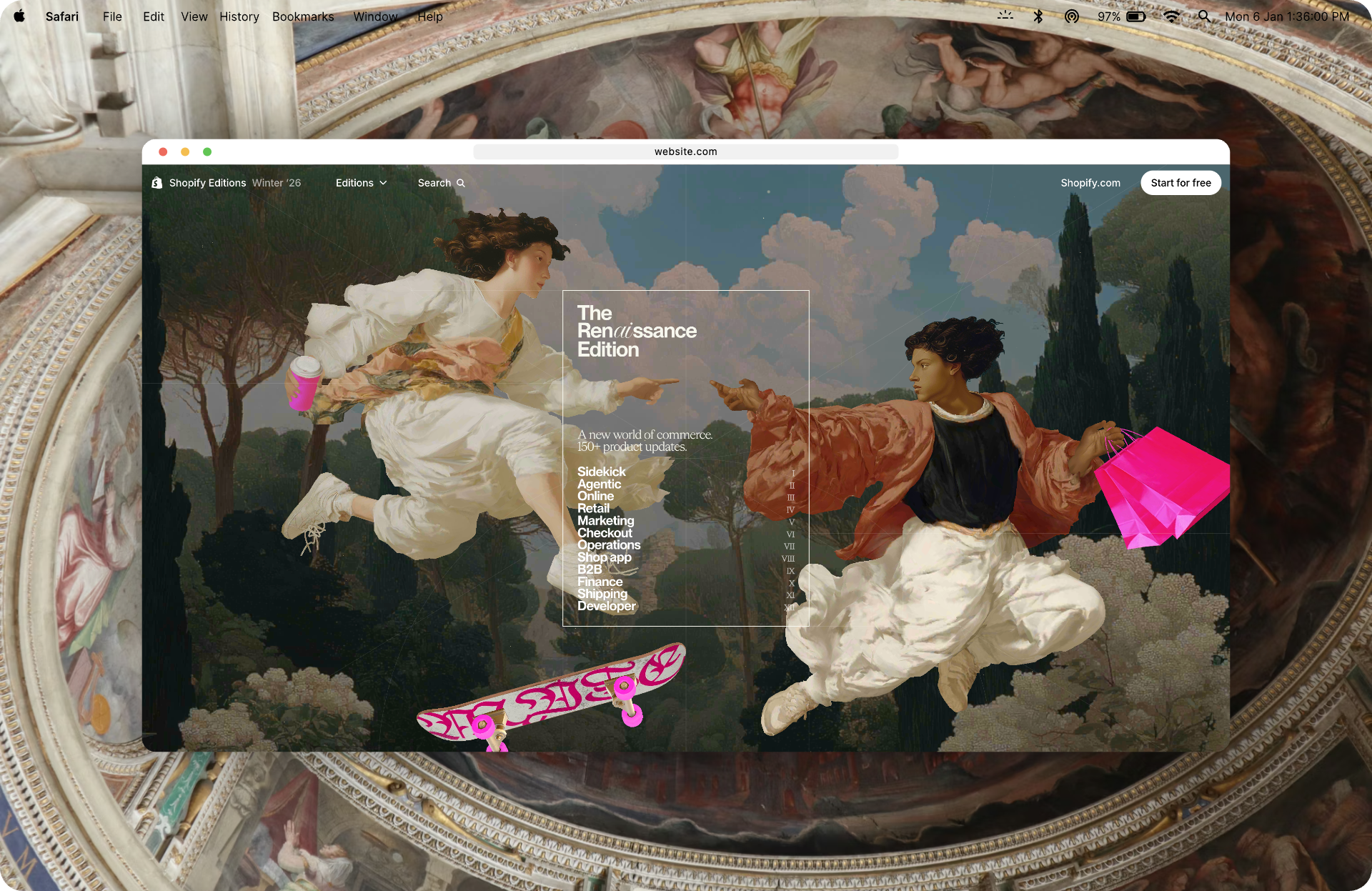
This is what you'll get

Real export, straight from the extension. No filters, no editing, no design tool.

Sample output: a Safari window with a beach photo, MacBook menu bar, and soft pink-to-blue gradient background.
Download Sample PNG · 1920×1247 · 1.3 MB

You're Stuck In This Loop

Sound familiar?

Brain Goes Blank

When you need a screenshot fast for presentations or social media, your brain just stops working.

Bookmark Folder Trap

You bookmark tool websites but forget them next week. Even your notes app doesn't help.

30+ Minutes Wasted

Raw screenshots look unprofessional. Photoshop takes forever. Paid tools are expensive and overfeature.

Tool Name Amnesia

You finally find a good tool. Next week? Can't remember its name. Start all over again.

Just Right-Click

Screenshot Framer works exactly how you need it to work.

1

Right-Click

Right-click any website and drag to select the area you want.

2

Customize

Pick a frame, swap backgrounds, set the URL — all in one tab.

3

Share

Copy to clipboard, download a 2× PNG, or share to Twitter instantly.

Why Screenshot Framer

Simple, fast, and designed for you.

Right-Click Workflow

No hunting for websites. No remembering tool names. It's always right there.

Professional Safari Frame

Automatically adds a beautiful Safari browser frame to your screenshot.

Works on Any Website

Literally any website. No limitations. No blocked sites.

Copy to Clipboard

One click and your screenshot is ready to paste anywhere.

Share to Twitter/X

Share directly to Twitter from the extension. No extra steps.

Free Forever

No account. No paywall. No credit card. Just free, forever.

Custom Backgrounds

Choose beautiful gradients or upload your own background image.

No Data Collection

Everything happens locally. We don't store or track anything.

What People Are Saying

This actually looks pretty clean for something automated. Might actually save this for later.
Practical-General320
r/Design
Love it, I've paid for Photoshop every month for screenshots like that! Thanks!
Nam Khanh
Chrome Web Store · ★★★★★
The right-click workflow is exactly what I need instead of going to a separate website every time.
Cool_House_3563
r/Entrepreneur
I keep a bookmark folder with all the free tools but still forget to check it when I'm in a rush. This is perfect.
Cool_House_3563
r/Entrepreneur

Perfect For

Any time you need professional screenshots.

UI/UX Designers

Portfolio pieces, design case studies, client presentations, design system documentation.

Bloggers & Writers

Tutorial screenshots, how-to guides, product reviews, blog illustrations, technical writing.

Business Owners

Product updates, feature releases, milestone announcements, company news, social media posts.

Freelancers & Agencies

Showcase client work, portfolio screenshots, before/after comparisons, case studies, client reports.

Content Creators

Social media content, tutorials, TikTok/Instagram posts, video thumbnails, course materials.

Startup Founders

Product launches, progress updates, investor pitches, landing page marketing, growth announcements.

Developers & Engineers

GitHub README docs, API documentation, code tutorials, debugging screenshots, technical posts.

Educators & Trainers

Online course materials, e-learning content, student guides, instructional documentation, webinar slides.

Marketers & Growth

Social media marketing, email campaigns, landing pages, competitor analysis, market research reports.

YouTubers & Streamers

Video thumbnails, tutorials, streaming overlays, channel banners, community posts, clip highlights.

SaaS & Product Teams

Feature announcements, product documentation, user guides, help center articles, changelog updates.

Sales & Customer Success

Client presentations, sales proposals, customer onboarding, support documentation, training materials.

Journalists & Reporters

News articles, web story illustrations, press releases, research documentation, fact-checking.

Corporate Communications

Internal newsletters, company announcements, policy documentation, training presentations, reports.

Social Media Managers

Instagram posts, Twitter threads, LinkedIn content, TikTok videos, social media calendars.

Product Managers

Feature specifications, product roadmaps, mockups, user feedback documentation, sprint updates.

QA & Testing Teams

Bug reports with screenshots, test case documentation, regression testing, quality assurance reports.

Remote Teams & Agencies

Team collaboration, client reviews, feedback documentation, project tracking, team updates.
Questions?

We've got answers.

Is it really free?
Yes. 100% free forever. No account needed. No credit card. No hidden fees. Ever.
Do you collect my data?
No. Everything happens locally in your browser. We don't store, track, or collect any data. Your screenshots are yours alone.
Works on every website?
Yes. Any website, any screenshot. No restrictions. Works everywhere.
Can I customize the frame?
Yes. Choose from beautiful gradient backgrounds or upload your own custom image. It's fully customizable.
Is there a mobile version?
Currently a Chrome extension only. Mobile versions for Safari and other browsers are on our roadmap.
How fast is it?
30 seconds. Right-click, drag, done. It's faster than you can remember the name of another tool.

Stop Wasting Time on Screenshots

Get Screenshot Framer. Free. Forever. Right now.

Download on Chrome Web Store